
UCaaS for Dummies: A Simple Guide to Unified Communications
Phones, video calls, messaging and email are all part of everyday business communication. But when each tool comes from a different provider, managing them can become confusing and costly. That’s where UCaaS comes in.
UCaaS stands for Unified Communications as a Service. In plain English, it brings several communication tools together in one cloud-based service. This guide explains what UCaaS is, how it works and what to consider before choosing a provider.
What is UCaaS?
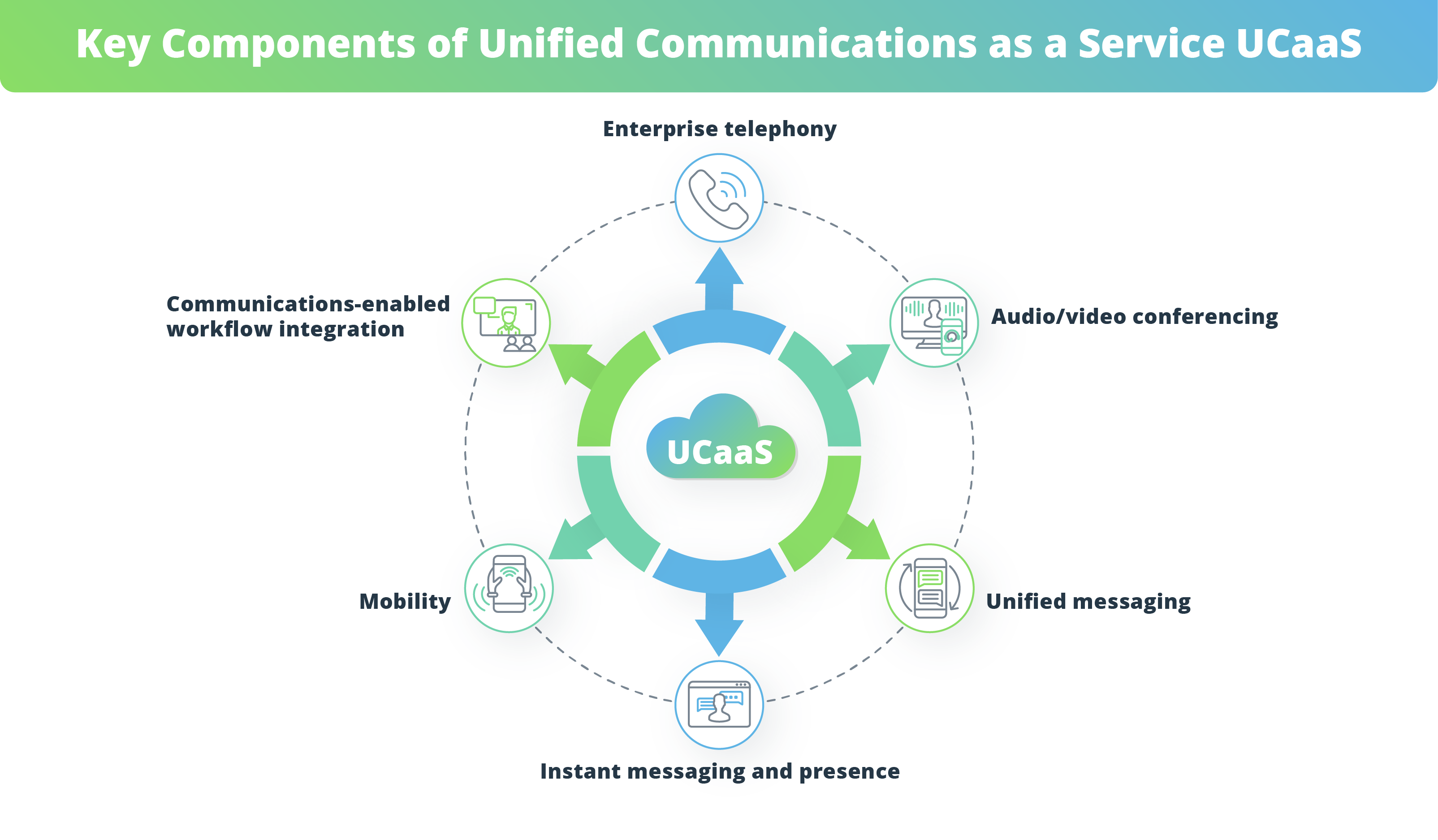
UCaaS combines business communication features in a single platform. Depending on the provider and plan, these may include:
- Business phone calls, including internet-based VoIP calls
- Video and audio meetings
- Instant messaging and team chat
- Voicemail and call management
- File sharing and collaboration tools
- Integration with business software, such as customer relationship management (CRM) systems
“As a Service” means the platform is hosted and managed by a provider, rather than being run entirely on equipment at your premises. Users typically access it over the internet through a computer, mobile phone or desk phone.
How does UCaaS work?
With a traditional office phone system, a business may need to buy and maintain equipment on site. A UCaaS provider hosts much of the technology in the cloud. Your team connects to the service using an internet connection and compatible devices.
For example, an employee might answer a business call on a desk phone in the office, then use a mobile app to make calls while travelling. They could also join a video meeting or message a colleague through the same platform.
The exact features depend on the service. “Cloud-based” does not mean that every tool is automatically included, so it is important to check what a plan offers.
Why do businesses use UCaaS?
Tools in one place
Bringing calling, meetings and messaging together can make it easier for staff to communicate without switching between several separate services.
Support for flexible working
Because users can often connect from different locations and devices, UCaaS may suit teams working in the office, at home or on the move. The service still depends on a suitable internet connection and compatible equipment.
Simpler management
Some platforms allow administrators to manage users, numbers and settings through an online portal. This can be more straightforward than maintaining separate systems, although the level of control varies by provider.
Room to adapt
Many UCaaS services use subscriptions, with plans or user numbers that can be adjusted. Check the contract terms carefully, as pricing, minimum commitments and changes to a plan vary between providers.
UCaaS and VoIP: what’s the difference?
VoIP stands for Voice over Internet Protocol. It is a way of making voice calls over an internet connection rather than relying solely on traditional telephone lines.
UCaaS is broader. It may include VoIP calling as well as video meetings, messaging, collaboration features and other communication tools. In other words, VoIP can be one part of a UCaaS platform.
Is UCaaS right for every business?
Not necessarily. UCaaS may be worth exploring if your organisation wants to bring communication tools together, support employees in different locations or replace ageing phone equipment. It may be less suitable if your internet connection is unreliable, your existing systems are difficult to integrate, or a cloud service does not meet your security or compliance requirements.
Before making a decision, think about how your staff communicate now and which problems you want to solve. A new platform is most useful when it fits the way your organisation works.
What should you check before choosing a UCaaS provider?
- Features: Confirm that the service includes the calling, meeting and messaging tools you actually need.
- Call quality: Ask what internet connection and network setup are recommended for reliable calls.
- Compatibility: Check that the service works with your existing phones, computers and business software.
- Security: Ask how accounts and data are protected, and whether the service supports your organisation’s requirements.
- Support: Find out when help is available and how support is provided.
- Costs: Look beyond the headline subscription price. Ask about setup, equipment, licences, call charges and contract terms.
- Moving your numbers: If you want to keep existing business numbers, ask how the transfer process works and how long it may take.
- Resilience: Understand what happens if your internet connection or the provider’s service is unavailable.
How to get started
- Review your current setup. List the tools your team uses and what is working or causing problems.
- Set priorities. Decide which features matter most, such as call handling, mobile access or video meetings.
- Check your network. A reliable internet connection is important for internet-based calling and meetings.
- Compare providers. Check features, support, costs and contract details rather than comparing prices alone.
- Plan the change. Consider staff training, number transfers, equipment and how to minimise disruption.
UCaaS in a nutshell
UCaaS is a cloud-based way to bring business calling and other communication tools together. It can make communication easier to manage and support teams working across different locations, but the right solution depends on your organisation’s needs, internet connection and budget.
Start by identifying what you want to improve, then compare providers carefully. A clear understanding of your requirements will help you choose a service that works for your team.
UCaaS for Dummies: Six Frequently Asked Questions
- Can you give me an example of unified communication?
- What does UCaaS stand for and what does it provide?
- What is the key difference between UCaaS and VoIP?
- Is UCaaS the same as VoIP?
- What is UCaaS in simple terms?
- Is Zoom a UCaaS platform?
Can you give me an example of unified communication?
A simple example of unified communication is a team using one platform to make business calls, hold video meetings and send messages. For instance, a colleague could start a conversation in team chat, turn it into a video call and share a document without switching between separate apps. This brings different communication tools together, making it easier for people to stay connected and work together.
What does UCaaS stand for and what does it provide?
UCaaS stands for Unified Communications as a Service. It’s a cloud-based platform that brings business communication tools—such as phone calls, video meetings, instant messaging and collaboration features—together in one service. Staff can typically access these tools from different devices and locations, helping teams stay connected without relying on separate systems for each type of communication.
What is the key difference between UCaaS and VoIP?
The key difference is that VoIP (Voice over Internet Protocol) refers specifically to making phone calls over an internet connection, while UCaaS (Unified Communications as a Service) is a broader cloud-based platform that can bring together VoIP calling, video meetings, instant messaging and other collaboration tools. In short, VoIP may be one feature within a UCaaS service, but UCaaS combines several communication tools in one place.
Is UCaaS the same as VoIP?
No. VoIP (Voice over Internet Protocol) is technology for making phone calls over the internet, while UCaaS (Unified Communications as a Service) is a broader cloud-based platform that can include VoIP calling alongside video meetings, team messaging and other communication tools. In simple terms, VoIP may be one feature of a UCaaS service, but UCaaS offers more than internet-based calling alone.
What is UCaaS in simple terms?
UCaaS, or Unified Communications as a Service, is a cloud-based service that brings business communication tools together in one place. It can include phone calls, video meetings, messaging and collaboration features, which staff can access using supported devices and an internet connection. In simple terms, it helps a team communicate through one connected platform instead of juggling several separate services.
Is Zoom a UCaaS platform?
Yes. Zoom can be considered a UCaaS platform because its business services bring together cloud-based communication tools, including video meetings, team chat and Zoom Phone for internet-based business calling. The features available depend on the products and plan you choose, so check that they meet your organisation’s needs.
Tags: business communication, business communications software, business phone systems, call management, cloud communications, cloud-based services, collaboration tools, communication platform, crm integration, flexible working, internet connection, internet-based calling, number transfer, pricing, security, team messaging, ucaas, ucaas for dummies, ucaas providers, unified communications as a service, video meetings, voip