
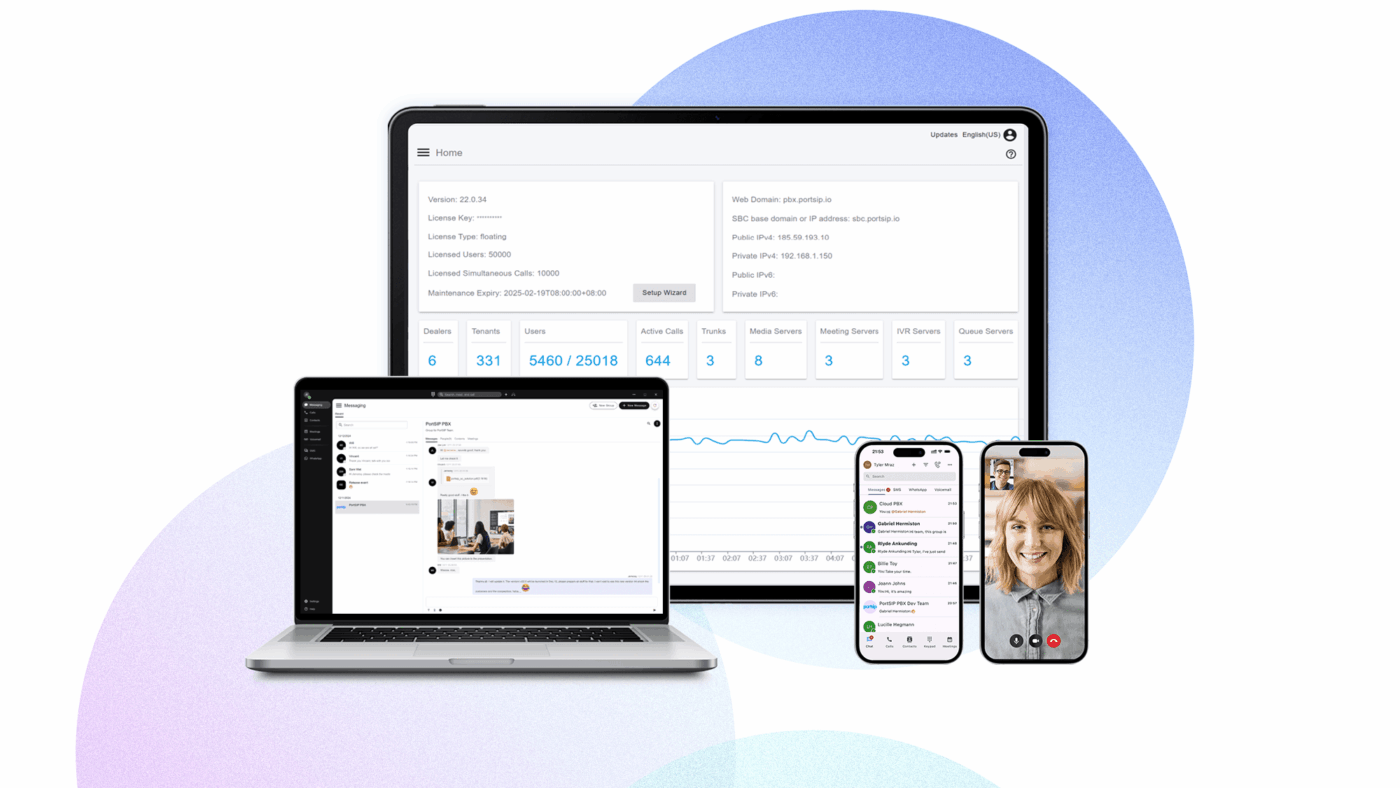
BroadSoft Hosted PBX: A Guide for UK Businesses
A hosted PBX can give a business the calling features of a traditional office phone system without requiring a PBX box on its premises. BroadSoft is a name often associated with this technology. Its BroadWorks platform has been used by communications providers to deliver hosted voice and unified communications services to businesses.
BroadSoft was acquired by Cisco in 2018, and the platform is now commonly referred to as Cisco BroadWorks. The exact service, features and support available depend on the provider offering it.
What is a hosted PBX?
A PBX, or private branch exchange, manages calls within an organisation and connects them to the public telephone network. With a hosted PBX, much of this system is run in a provider’s data centre or cloud environment rather than on equipment at the customer’s site.
Staff can use desk phones, computers or mobile devices to make and receive business calls. The service is generally delivered over an internet connection, although the provider’s network and the way calls are routed can vary.
How BroadSoft hosted PBX works
BroadWorks provides the underlying software and tools that a service provider can use to build business communications services. The provider manages the platform and supplies the service to its customers. Businesses typically manage users, phone numbers and settings through a web portal or with help from the provider’s support team.
As a result, “BroadSoft hosted PBX” does not necessarily describe one standard package. A provider may offer different calling plans, handsets, applications and support arrangements on the same underlying platform.
Common features
Depending on the provider and service plan, a BroadSoft-based hosted PBX may include features such as:
- Call handling: call forwarding, transfer, hold, voicemail and call queues.
- Auto-attendants: menus that direct callers to the right person or department.
- Hunt groups: ways to distribute incoming calls across a team.
- Softphone apps: applications for making and receiving business calls on a computer or mobile device.
- Business continuity options: call forwarding or alternative routing if a location or user is unavailable.
- Unified communications: in some packages, voice may be combined with messaging, presence, video or collaboration tools.
It is worth checking which functions are included, which require an additional licence and whether they are supported on the devices your staff use.
Potential benefits for businesses
Less on-site equipment
Because the core PBX is hosted, a business may not need to buy and maintain a traditional phone system at each location. Desk phones and network equipment may still be required, depending on how the service is set up.
Support for multiple locations
Hosted services can make it easier to manage users across different offices. Staff may be able to use the same business number and calling features wherever they work, subject to the provider’s configuration and the quality of their internet connection.
Room to adapt
Businesses can often add or remove users without replacing an entire phone system. This can be useful for organisations with changing staffing levels, though contract terms and minimum charges may affect the overall cost.
Business calling on different devices
Softphone applications can help staff stay reachable when they are away from a desk. Businesses should decide how calls, personal mobiles and work numbers will be managed before rolling out the service.
What to consider before choosing a service
The platform is only one part of the decision. The provider’s network, support and service design will have a significant impact on the day-to-day experience.
- Internet connection: voice calls need a reliable connection with suitable capacity. Ask whether the provider can assess your network and recommend quality-of-service settings.
- Resilience: find out what happens if your internet connection, local network or the provider’s service is unavailable. Consider backup connectivity and call-diversion options.
- Emergency calling: check how 999 and 112 calls are handled, how location information is provided and what staff should do if they use the service away from their registered address.
- Numbers and porting: confirm that your existing numbers can be transferred, how long the process may take and what happens during the changeover.
- Security: ask about account protection, access controls, encryption, monitoring and how the provider helps prevent misuse of calling accounts.
- Support and service levels: review support hours, fault-reporting processes, response targets and any service-level commitments.
- Total cost: compare user licences, call charges, handsets, installation, support, contract length and any fees for changing or ending the service.
Is BroadSoft hosted PBX right for your business?
A BroadSoft- or Cisco BroadWorks-based service may be worth considering if your organisation wants centrally managed business telephony, support for more than one location or calling features that can be used across desk phones and apps. The best fit depends less on the platform name and more on the provider’s package, the quality of your network and the level of support your business needs.
Before committing, ask for a demonstration and a clear breakdown of included features and costs. Test the service with a small group of users, check call quality in your actual working locations and agree a migration plan that protects your existing numbers and keeps disruption to a minimum.
7 Benefits of BroadSoft Hosted PBX for Your Business
- Reduces the need for on-site PBX equipment.
- Supports staff across multiple locations.
- Offers flexible call-routing features.
- Can scale as your business changes.
- Enables calling through compatible apps and desk phones.
- May simplify central management of users and numbers.
- Can include voicemail, call queues and auto-attendants.
7 Drawbacks of BroadSoft Hosted PBX
- Service quality depends on a reliable internet connection.
- Features vary between providers and packages.
- Outages can disrupt calling without a backup plan.
- Setup and number porting may take time.
- Monthly costs can rise with add-ons and extra users.
- Staff may need training to use new apps and features.
- Support quality depends on the provider.
Reduces the need for on-site PBX equipment.
A key advantage of a BroadSoft hosted PBX is that it reduces the need for traditional PBX equipment on your premises. The core phone system is hosted and managed by the service provider, so your business may avoid the cost and upkeep of a dedicated PBX server. This can free up office space and simplify maintenance, while staff continue to use business phones and calling features over the network.
Supports staff across multiple locations.
BroadSoft hosted PBX can help teams stay connected across multiple locations by bringing their business phone system together on one centrally managed platform. Staff in different offices—or working remotely—can use consistent calling features and, depending on the service, share extensions, transfer calls and access the same company directory. This can make it easier for customers to reach the right person and for colleagues to work together, without needing a separate phone system at every site.
Offers flexible call-routing features.
BroadSoft hosted PBX offers flexible call-routing features that help businesses direct incoming calls to the right person or team. Calls can be routed using options such as auto-attendants, hunt groups, call queues and forwarding rules, making it easier to manage busy periods and cover staff who are away from their desks. These settings can often be adjusted as the organisation’s needs change, helping provide callers with a smoother, more responsive experience.
Can scale as your business changes.
A BroadSoft hosted PBX can scale as your business changes, making it easier to add or remove users as your team grows, restructures or works across new locations. Rather than replacing an on-site phone system, you can adjust the service to suit your requirements, subject to your provider’s features, pricing and contract terms.
Enables calling through compatible apps and desk phones.
BroadSoft hosted PBX lets staff make and receive business calls using compatible desk phones or apps on their computers and mobiles. This flexibility means employees can stay connected from the office or while working remotely, while using their business number and familiar calling features across supported devices.
May simplify central management of users and numbers.
A BroadSoft hosted PBX may simplify the central management of users and phone numbers, particularly for businesses with several teams or locations. Administrators can often make changes—such as adding a user, updating call settings or assigning a number—from one online portal, rather than managing separate phone systems at each site. The tools and level of control available depend on the service provider and package.
Can include voicemail, call queues and auto-attendants.
A BroadSoft hosted PBX can bring useful call-handling features together in one phone system. Voicemail helps ensure messages are captured when staff are unavailable, while call queues organise incoming calls and help direct them to the right team. Auto-attendants can greet callers and guide them through menu options, making it easier for customers to reach the right person or department.
Service quality depends on a reliable internet connection.
A key drawback of a BroadSoft hosted PBX is that call quality depends on a reliable internet connection. Slow speeds, network congestion or an outage can lead to delays, poor audio or dropped calls, affecting both staff and customers. Businesses should check that their connection can support voice traffic and consider backup internet access to reduce disruption.
Features vary between providers and packages.
One potential drawback of a BroadSoft hosted PBX is that the features on offer can vary considerably between providers and packages. Some services may include tools such as call queues, mobile apps or voicemail-to-email as standard, while others charge extra or do not offer them at all. It’s important to check exactly what is included, which features require additional licences and whether the service meets your business’s needs before signing a contract.
Outages can disrupt calling without a backup plan.
A key drawback of a BroadSoft hosted PBX is that an outage can disrupt business calls if there is no backup plan. Problems with the internet connection, local network or provider’s service could leave staff unable to make or receive calls until the issue is resolved. Businesses can reduce the impact by arranging call forwarding, a backup internet connection or an alternative way for customers and staff to get in touch.
Setup and number porting may take time.
Setting up a BroadSoft hosted PBX and transferring existing phone numbers can take time. The process may involve configuring users and devices, checking network readiness and coordinating number porting with your current and new providers. Until the transfer is complete, businesses may need temporary call-forwarding or other arrangements to avoid disruption, so it is important to allow for the changeover when planning the move.
Monthly costs can rise with add-ons and extra users.
One potential drawback of a BroadSoft hosted PBX is that monthly costs can increase as your business grows or needs additional features. Extra users, call recording, advanced call handling and other add-ons may be charged separately, so the advertised price may not reflect the total cost. Check which features are included and how charges change when you add users to avoid unexpected increases.
Staff may need training to use new apps and features.
A potential drawback of a BroadSoft hosted PBX is that staff may need training to use its apps and features confidently. Employees who are used to a traditional phone system may take time to learn tools such as call transfers, voicemail, messaging and mobile or desktop apps. Providing clear guidance and support during the transition can help minimise disruption and encourage staff to make full use of the system.
Support quality depends on the provider.
Support quality depends on the provider
With a BroadSoft hosted PBX, the quality of support depends largely on the service provider rather than the platform itself. Providers may differ in their support hours, response times and technical expertise, so resolving an issue could be quick and straightforward—or frustratingly slow. Before signing up, check how support is delivered, whether help is available outside business hours and what response targets apply to faults.
Tags: auto-attendant, broadsoft hosted pbx, business communications, business continuity, business phone system, call handling, call quality, cisco broadworks, cloud telephony, emergency calling, hosted pbx, hosted voice services, hunt groups, internet connection, multi-location telephony, number porting, provider support, service levels, softphone apps, telephony security, uk businesses, unified communications, voip