
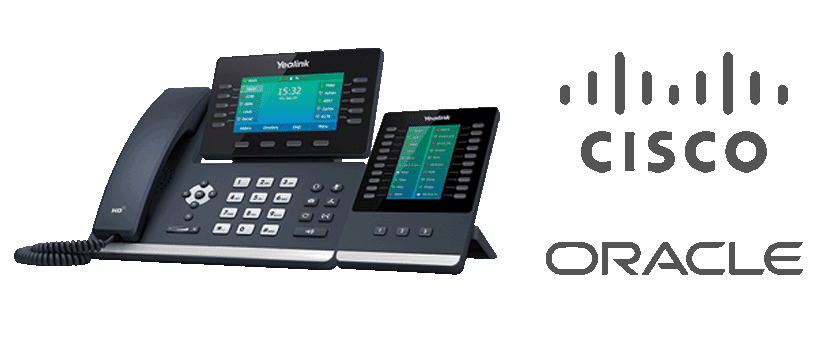
Cisco Cloud Phone System: A Guide for UK Businesses
A Cisco cloud phone system lets businesses make and receive calls over the internet rather than relying solely on traditional on-site telephone equipment. Cisco’s cloud-based calling services, including Webex Calling, bring business telephony together with collaboration tools, helping teams stay connected in the office, at home or on the move.
For organisations reviewing their communications, a cloud phone system can offer greater flexibility and simpler management. However, the right solution depends on your workforce, existing technology, connectivity and calling requirements.
What is a Cisco cloud phone system?
A cloud phone system hosts many of its calling functions in the cloud instead of on a telephone system installed and maintained at your premises. Users can make and receive business calls through compatible desk phones, computers or mobile devices, depending on the service and configuration.
Cisco Webex Calling is one example of Cisco’s cloud calling options. It can provide business telephony features alongside the wider Webex collaboration environment. Available capabilities depend on the chosen plan, licences, devices and setup.
Key features
Features vary by deployment, but a Cisco cloud phone system may include:
- Business calling: Make and receive calls using business numbers and calling features.
- Call management: Use options such as call forwarding, transfers, voicemail and hunt groups, where supported.
- Flexible access: Give staff calling options across supported desk phones, desktop applications and mobile devices.
- Collaboration tools: Connect calling with meetings, messaging and other collaboration services available in the Webex environment.
- Central administration: Manage users and calling settings through online administration tools, subject to the service configuration.
- Integration options: Connect with selected business applications or existing systems where compatible.
Benefits for businesses
Support for hybrid working
Because calling is not tied exclusively to a phone system in one office, cloud telephony can help employees stay reachable across different locations. This can be useful for hybrid teams, field-based staff and businesses with multiple sites.
Less on-site telephony equipment
Moving calling services to the cloud may reduce the need to maintain some traditional telephone infrastructure at each premises. Businesses should still assess their network, handsets, internet connection and any equipment needed to connect with existing services.
Scalable user management
Cloud services can make it easier to add, change or remove users as an organisation’s needs evolve. The practical process and costs depend on the service plan and the way it has been implemented.
One connected experience
For organisations already using Cisco collaboration products, bringing calling into the same environment may make everyday communication more consistent. The available features and integrations should be confirmed before choosing a solution.
What to consider before choosing a system
A cloud phone system is only as dependable as the arrangements that support it. Before moving, consider the following:
- Internet connectivity: Review bandwidth, network performance and resilience at every location where calls will be made.
- Call quality: Check that your network is suitable for voice traffic and that your provider can help with testing and troubleshooting.
- Power and continuity: Plan how staff will communicate during a power cut, internet outage or service disruption. Cloud calling does not remove the need for a continuity plan.
- Number porting: If you want to keep existing telephone numbers, confirm the porting process, timescales and any restrictions.
- Emergency calling: Understand how emergency calls are handled, particularly for remote staff and users who may work from different locations.
- Licensing and costs: Compare licences, calling plans, handsets, implementation, support and any additional services.
- Security and compliance: Review access controls, data handling and your organisation’s regulatory requirements.
Moving to Cisco cloud calling
A successful transition starts with understanding how your organisation uses its current phone system. List the users, numbers, call flows, departments, locations and special requirements that need to be carried over. Then map these against the capabilities of the proposed Cisco service.
It is often sensible to test the system with a smaller group before a wider rollout. A pilot can help identify network issues, training needs and configuration changes. Staff should also receive clear guidance on using the new calling tools, managing voicemail and getting support.
Is a Cisco cloud phone system right for your organisation?
A Cisco cloud phone system may suit businesses looking for flexible calling, centralised management and closer integration with collaboration tools. It can be particularly relevant to organisations with hybrid teams or multiple locations.
It may not be the right choice for every business. Requirements for specialist call handling, existing equipment, connectivity or resilience can affect the design and cost. Assessing these factors with a qualified provider can help ensure the proposed system fits the way your teams work.
Conclusion
Cisco cloud calling offers a modern approach to business telephony, combining internet-based calls with tools for collaboration and flexible working. The best results come from careful planning: check network readiness, confirm feature and licensing requirements, plan for continuity and give users the support they need during the change.
Cisco Cloud Phone System: 7 Frequently Asked Questions
- What is the name of the cloud-based phone system offered by Cisco?
- How much does a Cisco phone system cost?
- What is Cisco UCM cloud?
- Does Cisco offer VoIP phones?
- How does the Cisco phone system work?
- Does Cisco have a cloud?
- Does Cisco have a cloud phone system?
What is the name of the cloud-based phone system offered by Cisco?
Cisco’s cloud-based phone system is called Webex Calling. It provides business phone services over the internet and can be used with compatible desk phones, computers and mobile devices.
How much does a Cisco phone system cost?
The cost of a Cisco phone system depends on the solution you choose, the number of users, required features and calling plans, as well as any handsets, installation, support or integration work. Cloud phone systems are often priced per user, while on-site equipment may involve a larger upfront investment. Ask for a tailored quote that sets out all recurring and one-off costs, including any charges for number porting or international calls.
What is Cisco UCM cloud?
Cisco UCM Cloud (Cisco Unified Communications Manager Cloud) is a cloud-hosted business phone service based on Cisco’s Unified Communications Manager platform. It provides familiar enterprise calling features without requiring the core phone system to be hosted entirely on your own premises, and can suit organisations already using Cisco call control that want to move towards a cloud-based deployment. It is different from Webex Calling, so the features, management arrangements and migration options will depend on the service being offered; check current availability and requirements with a Cisco partner.
Does Cisco offer VoIP phones?
Yes. Cisco offers a range of IP phones that use Voice over Internet Protocol (VoIP) to make and receive calls over an IP network. Depending on the model and your setup, Cisco phones can be used with compatible cloud calling services, including Cisco Webex Calling, or with other supported phone systems. Check that the handset, service, licences and network are compatible before choosing a phone.
How does the Cisco phone system work?
A Cisco phone system routes calls over your business network, using either on-site equipment or a cloud service such as Webex Calling. Staff can make and receive calls using compatible desk phones, computers or mobile devices, while features such as call forwarding, voicemail and call routing are managed through the system. With a cloud-based setup, much of the phone system is hosted and maintained in the cloud, so users can access business calling from different locations, provided they have a suitable internet connection and the right configuration.
Does Cisco have a cloud?
Yes, Cisco offers a range of cloud services, including Webex Calling, its cloud-based business phone system. It lets users make and receive calls through supported desk phones, computers and mobile devices, with features and plans depending on the service configuration. Cisco also provides cloud services for areas such as collaboration, networking and security.
Does Cisco have a cloud phone system?
Yes. Cisco offers cloud-based business telephony through Webex Calling, which lets users make and receive business calls using supported desk phones, computers or mobile devices. It can also bring calling together with Webex messaging and meetings. Features, availability and pricing depend on the plan and configuration, so check which options meet your business’s requirements.
Tags: business calling, business communications, business telephony, call forwarding, call management, call quality, central administration, cisco cloud phone system, cisco webex calling, cloud calling, cloud phone system, cloud telephony, collaboration tools, continuity planning, desk phones, emergency calling, hunt groups, hybrid working, internet connectivity, licensing and costs, mobile calling, network readiness, number porting, phone system migration, scalable user management, security and compliance, telecommunications system, uk businesses, voicemail