
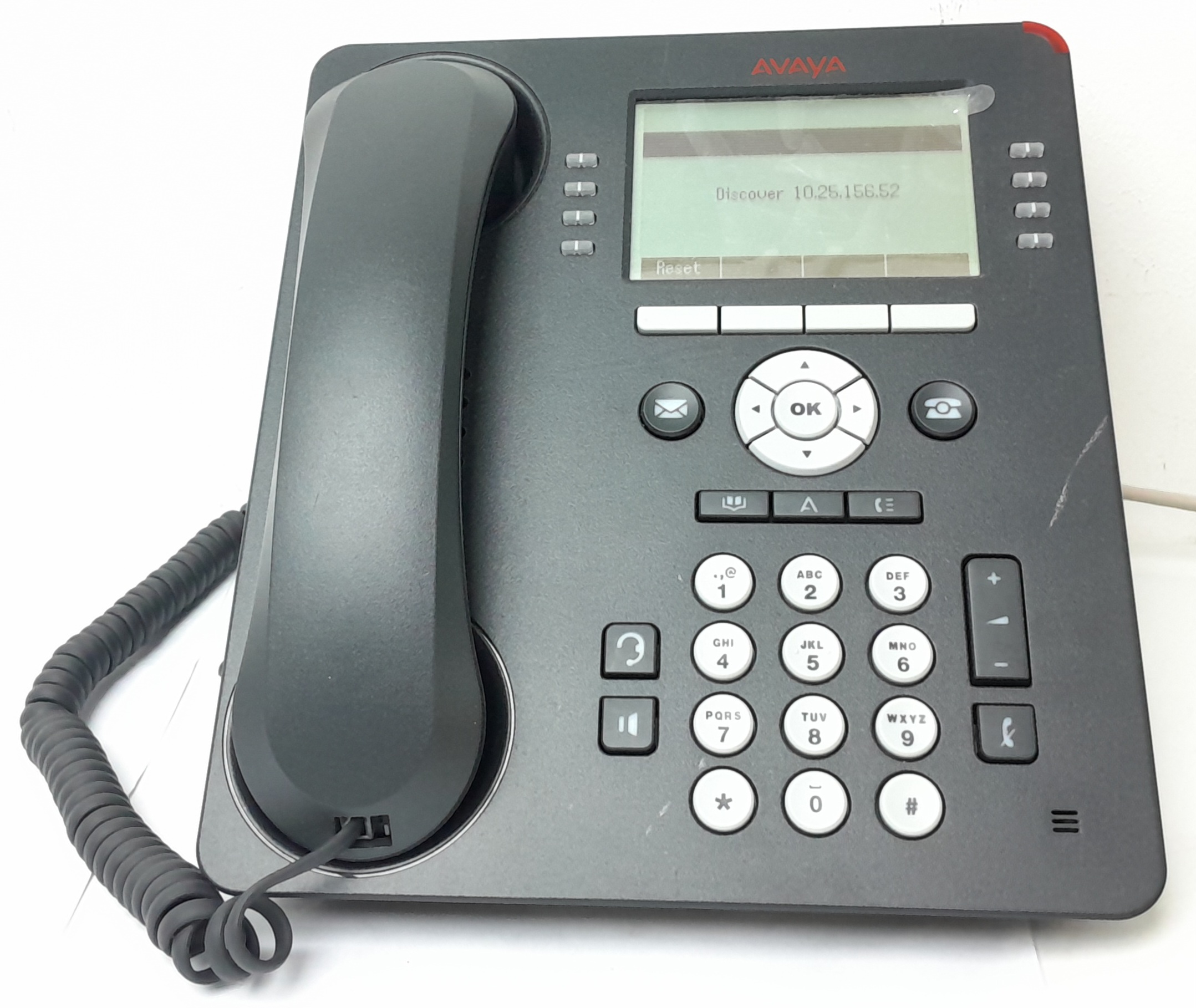
Avaya Hosted Phone System: A Practical Guide for UK Businesses
An Avaya hosted phone system gives businesses access to business telephony without the need to run and maintain all the phone-system equipment on their own premises. Calls and features are managed through a hosted platform, with users connecting by desk phone, computer or compatible mobile device, depending on the service.
For organisations looking to modernise their communications, a hosted Avaya solution can offer flexibility, useful call-handling tools and a way to support teams across multiple locations. The right setup depends on the size of your business, the way your staff work and the features you need.
What is an Avaya hosted phone system?
Avaya is a communications technology provider whose business phone solutions can be delivered in different ways. With a hosted system, the service is operated using infrastructure managed by a provider rather than relying solely on an on-site phone-system server.
Staff can use individual extensions while sharing a business telephone service. Depending on the chosen platform and package, features may include voicemail, call transfer, call queues, conferencing, auto-attendants and softphone applications. Feature availability varies, so it is important to check what is included in the specific service.
Potential benefits for businesses
Support for flexible working
Hosted telephony can help employees stay reachable when working from different offices or remotely. Calls can be handled using supported desk phones or applications, subject to the service and the user’s internet connection.
Less on-site equipment to manage
Because the phone service is hosted, a business may have less telephony hardware to maintain at its premises. This can simplify some aspects of system management, although local network equipment and compatible devices may still be required.
Room to adapt as your business changes
Hosted systems can make it easier to add or remove users than some traditional phone setups. This can be helpful for growing organisations, seasonal teams or businesses with changing office arrangements. Ask the provider how quickly changes can be made and whether they involve additional charges.
Business call-handling features
Tools such as call routing, voicemail and call queues can help businesses manage incoming calls more consistently. These features may be especially useful for customer service teams, reception desks and organisations that need calls directed to the right people.
What to consider before choosing a system
A hosted phone system is only as dependable as the connection and service supporting it. Before making a decision, consider:
- Internet connectivity: Check that your broadband and internal network can support voice calls reliably, particularly when many people are calling at once.
- Call quality and resilience: Ask how the provider monitors service performance and what arrangements are available if your internet connection or power fails.
- Features and licences: Confirm which functions are included in the package and which may require an extra licence or charge.
- Devices and compatibility: Check whether existing handsets can be reused or whether new phones or applications are needed.
- Security and support: Find out how the service is protected, how users are supported and who to contact if there is a problem.
- Number porting: If you want to keep your existing business numbers, ask how the transfer will be managed and how service continuity will be maintained.
- Contract terms: Review setup costs, monthly charges, contract length and any fees for changing or ending the service.
Moving from an existing phone system
Planning is essential when moving to a hosted phone system. Start by reviewing your current numbers, users, call flows and essential features. This helps identify what needs to be carried across and where the new system could improve the way calls are handled.
It is also worth testing the service before a full rollout. A pilot with a small group can help uncover network, device or training issues early. Once the system is ready, provide staff with clear instructions on using their phones, applications and voicemail.
Is an Avaya hosted phone system right for your business?
An Avaya hosted phone system may suit businesses that want to support flexible working, centralise call management or reduce their reliance on on-site telephony equipment. It may be less suitable if internet connectivity is unreliable or if a business has specialist requirements that are not covered by the available service.
The best option is the one that fits your existing technology, working practices and budget. Compare the proposed features and service arrangements carefully, and ask for a clear explanation of how the system will work for your organisation.
Frequently asked questions
Can staff use an Avaya hosted phone system when working remotely?
Depending on the service, staff may be able to make and receive business calls through a compatible application or device. Check the available options, user requirements and any licensing costs with the provider.
Can an existing business number be kept?
In many cases, businesses can request to transfer existing numbers to a new provider. The process and timescale depend on the numbers and providers involved, so confirm the details before agreeing a migration date.
Does a hosted phone system need an internet connection?
Yes. Hosted voice services rely on internet connectivity, so a stable connection and a properly configured network are important for call quality. Ask your provider to assess your connection before installation.
Take the next step
Choosing a hosted phone system starts with understanding how your business handles calls today and what you want to improve. Review your requirements, check the service details and speak with a communications specialist to find out whether an Avaya hosted solution is a suitable fit.
9 Benefits of an Avaya Hosted Phone System for Your Business
- Supports flexible and remote working.
- Reduces reliance on on-site phone-system hardware.
- Makes it easier to manage business calls across locations.
- Can scale as teams grow or change.
- Offers features such as call routing and voicemail.
- Helps direct callers to the right team.
- Can support desk phones and compatible calling apps.
- May simplify phone-system administration.
- Can provide a consistent business calling experience.
Four Drawbacks of an Avaya Hosted Phone System
- Relies on a stable internet connection.
- Monthly fees can add up over time.
- Some features may cost extra.
- Switching providers can take planning.
Supports flexible and remote working.
An Avaya hosted phone system can help your team stay connected wherever they work. Employees can handle business calls using supported desk phones or compatible applications, making it easier to work across the office, at home or on the move. With calls managed through a central system, staff can remain reachable on their business number and collaborate more flexibly, subject to the service setup and a reliable internet connection.
Reduces reliance on on-site phone-system hardware.
An Avaya hosted phone system can reduce the amount of phone-system hardware your business needs to keep on site. With much of the service managed through a hosted platform, there may be less equipment to install, maintain and upgrade in your premises. This can simplify day-to-day management and free up space, while still giving staff access to the calling features they need.
Makes it easier to manage business calls across locations.
An Avaya hosted phone system can make it easier to manage business calls across multiple locations by bringing teams together on one communications platform. Calls can be routed to the right person or department, while staff can use their business extensions across different offices or supported devices. This helps create a more consistent experience for customers and makes day-to-day call management simpler for distributed teams.
Can scale as teams grow or change.
An Avaya hosted phone system can adapt as your team grows or changes. Adding users, extensions or new locations may be simpler than expanding a traditional on-site system, helping your business respond to recruitment, seasonal demand or changing working arrangements. You can adjust the setup to suit your needs, while keeping call handling consistent across the team. The exact options and costs depend on your chosen service and provider.
Offers features such as call routing and voicemail.
An Avaya hosted phone system can include practical features such as call routing and voicemail to help businesses manage incoming calls more effectively. Calls can be directed to the right person or team, while voicemail allows callers to leave a message when staff are unavailable, helping ensure enquiries are not missed.
Helps direct callers to the right team.
An Avaya hosted phone system can help direct callers to the right team quickly and efficiently. Features such as automated menus, call routing and call queues guide people to the appropriate department, reducing unnecessary transfers and helping staff manage enquiries more smoothly. This can create a better experience for callers while allowing your team to focus on the requests they are best equipped to handle.
Can support desk phones and compatible calling apps.
An Avaya hosted phone system can support desk phones alongside compatible calling apps, giving staff flexibility in how they make and receive business calls. Employees can use a desk phone in the office or, where the service allows, an app on a computer or mobile device when working remotely. This can help teams stay connected across different locations while keeping business communications within a single phone system.
May simplify phone-system administration.
An Avaya hosted phone system may simplify phone-system administration by moving much of the platform management to the service provider. This can reduce the need for your team to maintain on-site telephony equipment and make routine tasks, such as adding users or adjusting call settings, easier to manage. The level of support and control available will depend on your chosen service and provider.
Can provide a consistent business calling experience.
An Avaya hosted phone system can help provide a consistent business calling experience across your organisation. With shared call-handling features, such as call routing, voicemail and extension management, customers can reach the right team more easily, whether staff are in the office or working remotely. This can support a professional, joined-up impression at every point of contact.
Relies on a stable internet connection.
A key consideration with an Avaya hosted phone system is its reliance on a stable internet connection. If your broadband is slow, unreliable or temporarily unavailable, call quality may suffer, calls could drop, or staff may be unable to make and receive calls through the system. Businesses should assess their network capacity and consider backup connectivity to help minimise disruption.
Monthly fees can add up over time.
One potential drawback of an Avaya hosted phone system is that monthly subscription fees can add up over time. While the service may reduce the need for some on-site equipment, ongoing charges for users, features, support and call usage can increase the total cost. Businesses should review the full pricing structure and compare the long-term expense with other options before committing.
Some features may cost extra.
Some features on an Avaya hosted phone system may not be included in the standard package and could incur extra charges. Advanced call handling, integrations, additional user licences or particular support options may be billed separately, so it is worth checking exactly what is covered by the monthly price. Ask for a clear breakdown of any optional costs to ensure the system fits your needs and budget.
Switching providers can take planning.
Switching providers for an Avaya hosted phone system can take careful planning to avoid disrupting day-to-day communications. You may need to coordinate the transfer of existing phone numbers, configure users and call routing, check that devices and network connections are compatible, and arrange staff training. Agreeing a clear migration plan with both providers can help minimise downtime and ensure calls continue to reach the right people.
Tags: auto-attendant, avaya hosted phone system, avaya phone solutions, business phone features, business phone system, business phone system costs, call handling, call quality, call queues, call routing, cloud communications, flexible working, hosted phone system, hosted telephony, internet connectivity, number porting, phone system migration, phone system security, remote working, softphone applications, telephony support, uk business communications, voicemail