
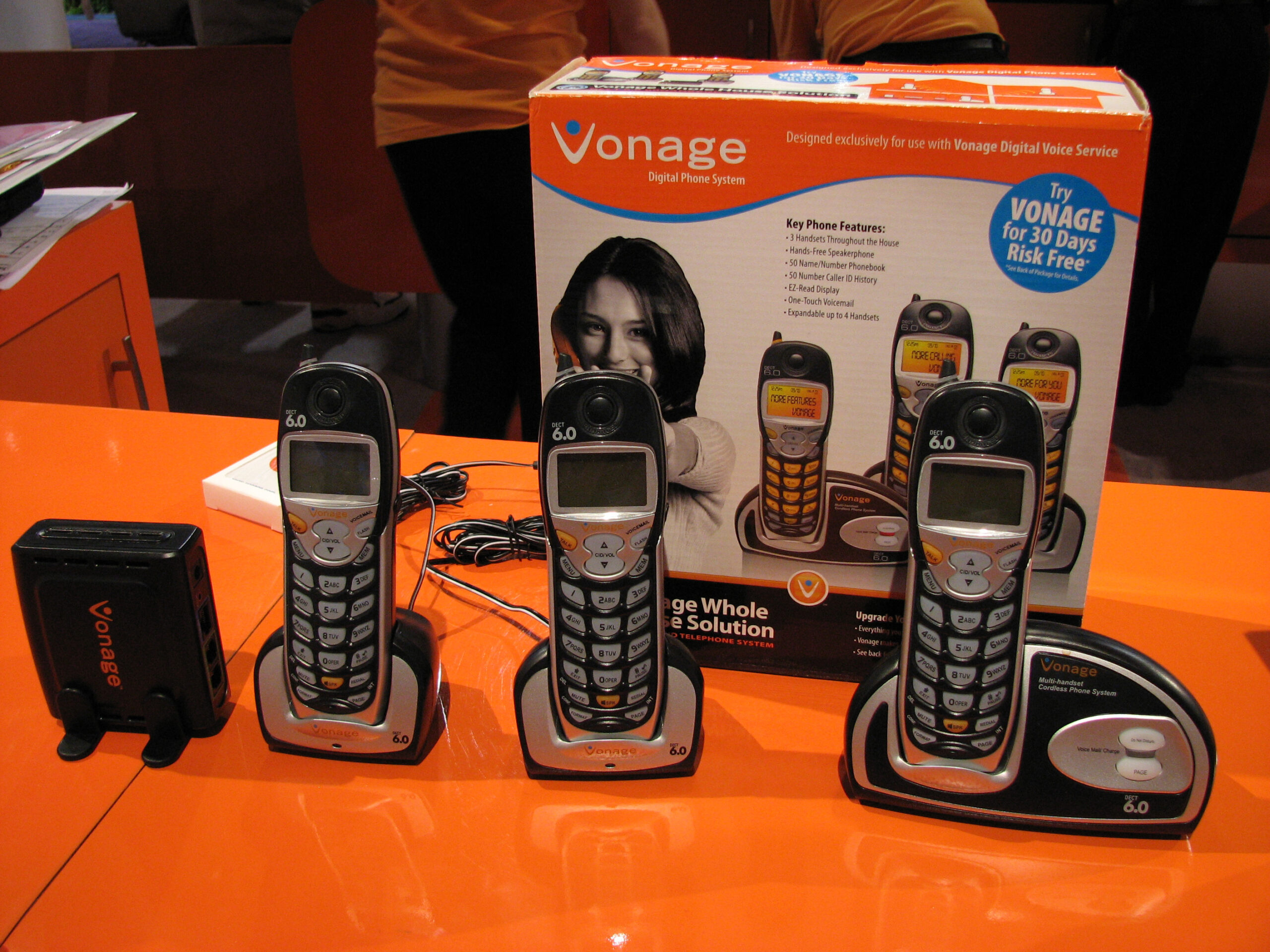
Vonage Phone Systems for Small Business: What to Know
A reliable phone system helps a small business stay in touch with customers, suppliers and colleagues. Vonage offers cloud-based business phone services that use an internet connection, giving businesses an alternative to traditional landlines and on-site telephone equipment.
For small businesses, a cloud phone system can make it easier to manage calls across an office, at home or while working on the move. The right setup depends on how your team works, the features you need and the quality of your internet connection.
What is a Vonage business phone system?
Vonage business phone services use Voice over Internet Protocol (VoIP) technology to carry calls over the internet. Depending on the service and plan available to your business, staff may be able to make and receive calls using desk phones, computers or mobile devices.
Because the service is hosted online, businesses generally do not need to maintain a traditional telephone exchange on their premises. Calls and settings can often be managed through an online account, though the available tools vary by product and location.
Potential benefits for small businesses
Support for flexible working
Cloud-based calling can help staff stay reachable when they are away from the office. This may be useful for teams that work remotely, travel to customers or split their time between different locations. The specific calling options depend on the Vonage service and devices being used.
Room to adapt as your business changes
A hosted system can be easier to adjust than a traditional phone setup when your team grows or changes. Businesses may be able to add users, change call settings or update how calls are routed through an online management portal. Check the terms and capabilities of the plan before relying on a particular feature.
Business calling features
Depending on the package, business phone services may include features such as voicemail, call forwarding, call routing, business numbers and conference calling. These can help a small team handle enquiries professionally and direct customers to the right person. Confirm which features are included, and whether any incur an additional charge.
Less on-site equipment to manage
With a cloud system, much of the phone service is managed by the provider rather than through equipment installed at your premises. You may still need compatible handsets, headsets, computers or network equipment, but there may be less hardware to maintain than with some traditional systems.
What should you consider before choosing?
Internet connection and call quality
VoIP depends on a stable internet connection. Slow speeds, network congestion or unreliable Wi-Fi can affect call quality. Before switching, check that your broadband and internal network can support your expected number of simultaneous calls. A wired connection may be more reliable than Wi-Fi for desk phones.
Costs and contract terms
Compare the full cost, not just the advertised monthly price. Ask about user or line charges, call rates, setup fees, equipment, number porting, taxes and any costs for optional features. Review contract length, cancellation terms and how charges may change over time. Pricing and availability can vary by country and plan.
Existing numbers and equipment
If you want to keep your current business number, ask whether it can be transferred and how long the process is expected to take. Check that your existing handsets are compatible, or include replacement equipment in your budget.
Emergency calling and business continuity
Internet-based phone services work differently from traditional landlines, so it is important to understand how emergency calls are handled and whether you need to register a service address. Also consider what will happen if your internet connection or power fails. A mobile fallback, backup connection or alternative contact method may help keep your business reachable.
Customer support and administration
Consider how easy the system is to manage and what support is available if something goes wrong. Find out how support is provided, when it is available and whether assistance is included in your plan. If several people will manage the system, check whether permissions can be assigned appropriately.
Is Vonage right for your small business?
Vonage may be worth considering if your business wants internet-based calling, supports flexible working or needs a phone system that can be managed remotely. It may be less suitable if your internet connection is unreliable, if you require a particular feature that is not included in the available plan, or if the total cost does not fit your budget.
Start by listing how your team handles calls today and what you would like to improve. Estimate how many people need phone access, identify essential features and check your internet capacity. Then compare Vonage’s current offering with other providers, paying close attention to service terms, support, compatibility and total cost.
Conclusion
A Vonage phone system can give a small business a flexible way to manage calls without relying on a traditional on-site telephone exchange. The benefits depend on choosing the right plan, ensuring your network is suitable and understanding the costs and service conditions. A careful comparison will help you decide whether it meets your business’s needs.
Top 7 Benefits of Vonage Phone Systems for Small Businesses: Flexibility, Simplicity, and Professionalism
- Cloud-based calling can support flexible working.
- Staff can take calls from multiple locations.
- Online tools may simplify call management.
- Features can include call routing and voicemail.
- Adding users may be straightforward as teams grow.
- Less on-site phone equipment may be needed.
- Business calling features can help present a professional image.
Top 5 Drawbacks of Vonage Phone Systems for Small Businesses
- Call quality depends on a reliable internet connection.
- Monthly costs can rise with add-ons or extra users.
- Some features may only be available on higher-tier plans.
- Switching numbers and equipment can take time.
- Internet or power outages may disrupt calling.
Cloud-based calling can support flexible working.
Vonage cloud-based calling can help small businesses stay connected when staff are working from home, visiting customers or moving between locations. Calls can be managed through supported devices such as desk phones, computers or mobiles, helping employees stay reachable without being tied to an office landline. This flexibility can make it easier to keep customer service running smoothly wherever the working day takes the team.
Staff can take calls from multiple locations.
With a Vonage phone system, staff can take business calls from different locations, whether they’re at the office, working from home or travelling between appointments. This flexibility helps small businesses stay responsive without tying every employee to a desk phone, making it easier for customers to reach the right person wherever the working day takes them.
Online tools may simplify call management.
Vonage’s online tools may make it easier for small businesses to manage their phone systems without specialist equipment or technical expertise. Depending on the plan, staff can use an online account to adjust call settings, update routing or manage users, helping the business respond more easily as its needs change.
Features can include call routing and voicemail.
Vonage phone systems can include features such as call routing and voicemail, helping small businesses manage enquiries more efficiently. Calls can be directed to the right person or team, while voicemail means customers can leave a message when staff are unavailable. Together, these tools can make it easier to keep track of customer calls and provide a more organised service.
Adding users may be straightforward as teams grow.
As your business grows, adding new users to a Vonage phone system may be straightforward, helping you bring colleagues on board without having to replace your entire setup. Depending on your plan, users and call settings can often be managed online, making it easier to adapt the system as your team’s needs change. Check the plan details for any limits or additional costs.
Less on-site phone equipment may be needed.
Vonage phone systems can reduce the amount of traditional phone equipment a small business needs on-site. Because calls are managed through an internet-based service, there may be less need for a physical telephone exchange or extensive cabling. This can simplify installation and day-to-day maintenance, although you may still need compatible handsets, headsets and reliable network equipment.
Business calling features can help present a professional image.
Vonage business phone systems can help small businesses present a professional image with features such as call routing, voicemail and business numbers, depending on the plan. Calls can be directed to the right person, while a clear voicemail greeting helps ensure customers know they have reached your business. These tools make it easier to handle enquiries consistently and professionally, even when your team is small or working across different locations.
Call quality depends on a reliable internet connection.
One potential drawback of a Vonage phone system is that call quality depends on a stable, reliable internet connection. Slow broadband, network congestion or weak Wi-Fi can lead to delays, interruptions or dropped calls, which may affect customer service and day-to-day work. Before switching, check that your connection can handle your team’s calls, and consider using wired phones or a backup internet option for added reliability.
Monthly costs can rise with add-ons or extra users.
One potential drawback of Vonage phone systems for small businesses is that monthly costs can increase as your needs change. Adding users or opting for extra features may raise the bill beyond the advertised starting price, so it’s worth checking which services are included, what add-ons cost and how charges are calculated before choosing a plan.
Some features may only be available on higher-tier plans.
Some Vonage features may only be available on higher-tier plans, so the package that first appears to meet your needs might not include every tool your business expects. This can mean paying more to access features such as advanced call management or integrations, depending on the plan and region. Before signing up, check which features are included, whether add-ons cost extra and how upgrading would affect your monthly bill.
Switching numbers and equipment can take time.
Switching to a Vonage phone system can take time, particularly if you want to keep your existing business numbers or reuse current equipment. Number transfers may need to be arranged and could take longer than expected, while handsets and other devices may need replacing or checking for compatibility. Planning the changeover in advance can help minimise disruption to your team and customers.
Internet or power outages may disrupt calling.
One drawback of Vonage phone systems is their reliance on a stable internet connection and power supply. If either goes down, your business may be unable to make or receive calls using the system, potentially disrupting customer service and day-to-day operations. Consider having a backup internet connection, charged mobile phones or an alternative way for customers to contact you.
Tags: business calling, business continuity, business numbers, call forwarding, call quality, call routing, cloud-based phone service, compatible equipment, conference calling, contract terms, customer support, emergency calling, flexible working, internet connection, number porting, phone system features, pricing, remote work, service comparison, small business phone system, total cost, voice over internet protocol, voicemail, voip, vonage phone systems, vonage phone systems for small business