
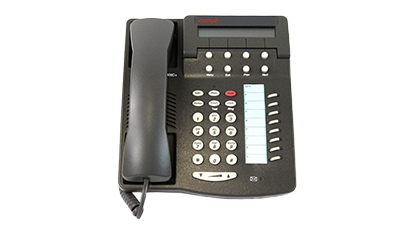
Avaya VoIP Telephone Systems: A Guide for UK Businesses
An Avaya VoIP telephone system uses internet protocol (IP) technology to carry voice calls over a business network. Instead of relying solely on traditional phone lines, it can connect desk phones, softphones and other communication tools through an internet or private data connection.
Avaya offers business communications platforms for organisations of different sizes. The right solution depends on factors such as the number of users, preferred way of working, existing network and whether the business wants an on-site, cloud-based or hybrid setup.
What is an Avaya VoIP system?
VoIP stands for Voice over Internet Protocol. It converts voice into data that can travel across an IP network. With an Avaya system, staff may be able to make and receive calls using compatible desk phones, computers or mobile devices, depending on the platform and configuration.
Some businesses use an on-site telephone system, while others choose hosted or cloud services. Hybrid arrangements can also combine local equipment with cloud-based features. Avaya product names, capabilities and licensing options vary, so it is important to check what is available for a particular system before choosing or upgrading.
Common features
Features depend on the Avaya platform, licences and configuration, but a business VoIP system may include:
- Call routing: Direct calls to the right person or team using menus, queues or rules.
- Auto-attendant: Give callers options when they contact the business.
- Voicemail: Record messages for users or departments, with options such as email notifications where supported.
- Call transfer and forwarding: Help staff manage calls when they are away from their desk.
- Conferencing: Support group conversations, depending on the service and setup.
- Softphone access: Allow users to make calls through compatible computer or mobile applications.
- Reporting: Provide call activity information to help managers understand demand and service levels.
Potential benefits for businesses
Support for flexible working
Where the chosen system and network allow it, staff can handle business calls from more than one location. This can be useful for hybrid teams, mobile workers and businesses with multiple offices.
More flexible call management
Call routing, queues and menus can help businesses direct callers efficiently. These tools may improve the caller experience and make it easier for teams to manage busy periods.
Room to grow
IP-based systems can often be adapted as a business changes. The practical options for adding users or locations will depend on the system, network capacity, licences and contract terms.
Integration with other tools
Some Avaya deployments can connect with business applications or contact centre tools. The available integrations depend on the platform, software versions and any required licences.
What to consider before choosing a system
A VoIP telephone system is only as dependable as the network that supports it. Before moving to or upgrading an Avaya system, assess the following:
- Internet and network capacity: Check that the connection and local network can handle voice traffic alongside other business applications.
- Call quality and resilience: Consider network prioritisation, backup connectivity and what will happen during an outage.
- Existing equipment: Confirm whether current handsets, headsets and other hardware are compatible.
- Features and licences: Make a list of essential functions and verify which are included in the proposed solution.
- Security: Review access controls, software updates, network configuration and the provider’s security responsibilities.
- Costs: Compare hardware, licences, support, installation, call charges and any contract or migration costs.
- Support and maintenance: Establish who will manage the system, resolve faults and assist users.
Avaya VoIP systems and traditional phone lines
Traditional telephone services and VoIP work in different ways. A VoIP system uses an IP network, which can offer greater flexibility and access to digital features. However, it also makes network planning and internet resilience important. Businesses should review their current phone arrangements and future requirements before deciding whether to migrate.
Any change should include a plan for number porting, call routing, staff training and testing. In the UK, businesses should also check how their proposed service will operate during power or internet interruptions, particularly if phone access is important for safety or essential operations.
Is an Avaya VoIP telephone system right for your business?
An Avaya system may suit a business looking for configurable call handling, support for multiple users or locations, and options for desk-based and remote working. The best fit will depend on the organisation’s size, budget, technical environment and preferred deployment model.
Before making a decision, compare the specific Avaya solution with your requirements rather than relying on a general feature list. Ask for a clear explanation of included services, ongoing costs, compatibility, support arrangements and how the system can change as your business grows.
Conclusion
An Avaya VoIP telephone system can provide a flexible foundation for business calling, with features that may help teams manage calls and work across different locations. Careful planning is essential: check network readiness, confirm the capabilities of the particular platform and make sure the proposed system meets your organisation’s needs both now and in the future.
Avaya VoIP Telephone Systems: 6 Frequently Asked Questions
- What is an Avaya VoIP telephone system?
- How does an Avaya VoIP telephone system work?
- What are the benefits of using an Avaya VoIP system for a business?
- Can an Avaya VoIP telephone system support remote and hybrid working?
- How much does an Avaya VoIP telephone system cost in the UK?
- What internet connection and equipment are needed for an Avaya VoIP telephone system?
What is an Avaya VoIP telephone system?
An Avaya VoIP telephone system is a business phone solution that uses an internet protocol (IP) network to make and receive calls, rather than relying solely on traditional phone lines. Depending on the Avaya platform and setup, it can support desk phones, computer-based softphones and mobile devices, along with features such as call routing, voicemail and conferencing.
How does an Avaya VoIP telephone system work?
An Avaya VoIP telephone system converts your voice into digital data and sends it over an internet connection or local IP network. When you make a call using a compatible desk phone or softphone, the system routes the call to the right person or, for external calls, connects it through a telephone service such as a SIP trunk. The recipient’s device converts the data back into audio, allowing the conversation to take place. Call quality and reliability depend on the system’s configuration and the performance of your network and internet connection.
What are the benefits of using an Avaya VoIP system for a business?
An Avaya VoIP system can help a business manage calls more flexibly by routing callers to the right person or team, supporting features such as voicemail, call queues and conferencing, and enabling staff to make and receive calls from compatible devices in different locations. Depending on the system and configuration, it may also integrate with other business tools and scale as the organisation grows. Reliable performance depends on having a suitable network, so it is worth checking connectivity, support arrangements and costs when considering an Avaya solution.
Can an Avaya VoIP telephone system support remote and hybrid working?
Yes, an Avaya VoIP telephone system can support remote and hybrid working, depending on the platform, licences and configuration. Staff may be able to make and receive business calls using compatible desk phones, computers or mobile devices, whether they are in the office or working elsewhere. Reliable internet access, suitable network security and clear call-routing arrangements are important for a good experience. Check which remote-working features are included in your specific Avaya system and whether any additional licences or setup are required.
How much does an Avaya VoIP telephone system cost in the UK?
The cost of an Avaya VoIP telephone system in the UK varies depending on the number of users, the system type (cloud, on-premises or hybrid), required features, handsets, installation and ongoing support. Cloud services are typically charged per user, per month, while on-premises systems may involve higher upfront costs for equipment and setup. For an accurate estimate, ask an Avaya provider for a tailored quote and check what is included, such as licences, call charges, maintenance and migration.
What internet connection and equipment are needed for an Avaya VoIP telephone system?
An Avaya VoIP telephone system needs a reliable internet connection or business network with enough capacity for all simultaneous calls; the exact bandwidth depends on the system and call settings. Low latency, jitter and packet loss help maintain clear call quality, so a stable wired connection is generally preferable. Equipment may include compatible Avaya IP phones or computers and mobiles running supported softphone software, plus a suitable router, firewall and network switches; Power over Ethernet (PoE) switches can power compatible desk phones. Requirements vary by Avaya platform and setup, so check compatibility and network specifications with your provider before installation.
Tags: auto-attendant, avaya voip telephone system, avaya voip telephone systems, business communications, call forwarding, call management, call quality, call routing, cloud phone systems, conferencing, contact centre integration, flexible working, hosted telephony, hybrid telephone systems, internet resilience, ip telephony, network capacity, number porting, softphones, support and maintenance, system security, telephone system migration, uk businesses, voice over internet protocol, voicemail, voip costs