
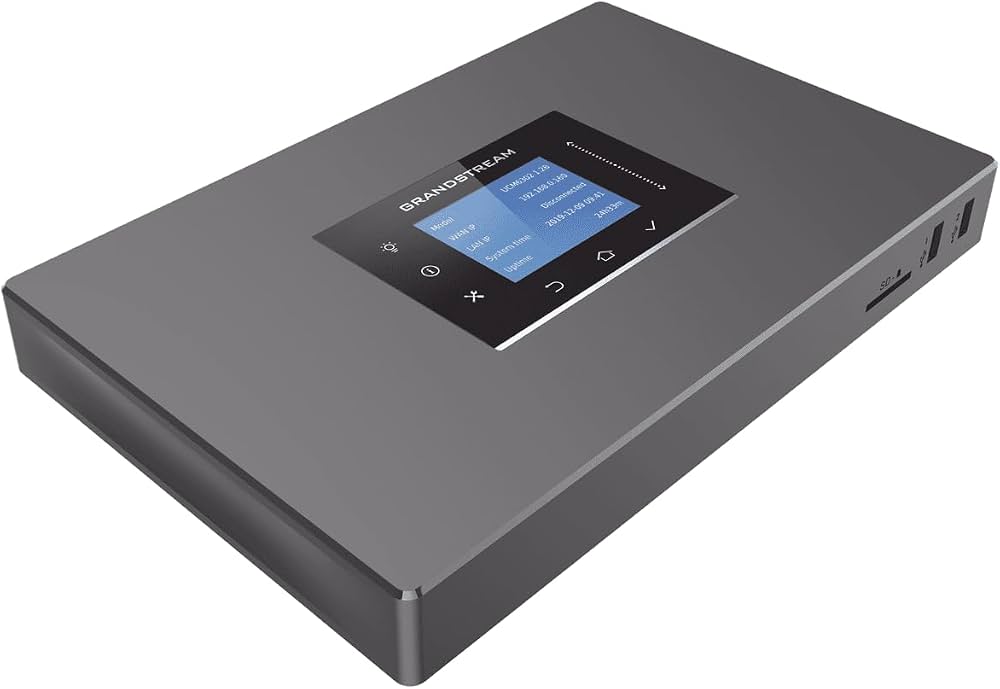
Grandstream UCM6302 IP PBX: A Flexible Communications System for Business
The Grandstream UCM6302 IP PBX is a business telephone system designed to bring voice calls and collaboration features together in one platform. It can support organisations that want the control of an on-site PBX, with options for connecting remote workers and compatible cloud services.
What is the Grandstream UCM6302?
An IP PBX manages an organisation’s telephone extensions and call routing using internet protocol (IP). The UCM6302 can connect compatible SIP phones and other SIP devices, allowing staff to call one another internally and handle external calls through suitable SIP trunking or analogue lines.
Grandstream rates the UCM6302 for up to 1,000 users and 150 concurrent calls. Actual capacity and call quality depend on the network, configuration and features in use, so businesses should check that the system is suitable for their expected call volumes.
Key features
- Call handling: Features include call routing, auto-attendants, voicemail, call queues and other tools for managing incoming and internal calls.
- Analogue connectivity: The UCM6302 includes two FXO ports for connecting analogue telephone lines and two FXS ports for compatible analogue devices. These can be useful when a business needs to retain certain legacy lines or equipment.
- Video and conferencing: The platform supports conferencing and can work with compatible Grandstream endpoints for audio and video communication.
- Remote working: Grandstream’s Wave applications and UCM RemoteConnect service can provide ways for users to access communications features remotely. Availability, configuration and any service terms should be checked before deployment.
- Management: The system can be administered through its web interface, with Grandstream’s management tools available for supported devices and deployments.
How a business might use it
A company could use the UCM6302 to give staff individual extensions, direct calls to the right team, and offer callers an automated menu. Call queues can help distribute calls across a department, while voicemail and call-forwarding options can support staff who are away from their desks.
For organisations with a mix of office-based and remote staff, the system can be part of a wider setup that includes compatible IP phones, computers and mobile devices. The quality of the experience depends on a properly configured network and a reliable internet connection for external and remote calls.
What to consider before choosing the UCM6302
Before purchasing, estimate the number of users and simultaneous calls your organisation needs, and identify any analogue lines or devices that must be retained. Check compatibility with your chosen SIP provider, phones and other equipment. It is also worth planning for network security, backups, access permissions and ongoing maintenance.
Although the UCM6302 offers a substantial range of features, not every organisation will need them all. A smaller business may prefer a simpler hosted telephone service, while a business seeking greater control over its phone system may value an on-site PBX. Installation and configuration requirements should be considered alongside the hardware cost.
Is the Grandstream UCM6302 right for your business?
The Grandstream UCM6302 is a flexible option for organisations looking for an IP-based phone system with extensive call-management capabilities and support for analogue connections. Its stated capacity makes it worth considering for growing businesses, but the best choice depends on user numbers, call patterns, remote-working needs and the systems already in place.
Review the current manufacturer specifications and service terms, then speak with a qualified communications provider to confirm that the UCM6302 can meet your requirements.
Essential Tips for Securing and Optimising Your Grandstream UCM6302 IP PBX
- Change the default administrator password before connecting the UCM6302 to a network.
- Keep the UCM6302 firmware up to date.
- Use strong SIP credentials for extensions and trunks.
- Restrict management access to trusted networks.
- Back up the configuration after making changes.
- Test call routing and emergency calling before going live.
Change the default administrator password before connecting the UCM6302 to a network.
Before connecting the Grandstream UCM6302 to a network, change its default administrator password to a strong, unique one. Default credentials may be publicly known, so leaving them unchanged could allow unauthorised access to the system’s settings and communications features. Use a long password that is not used for other accounts, store it securely, and limit administrator access to trusted users.
Keep the UCM6302 firmware up to date.
Keep your Grandstream UCM6302 firmware up to date to benefit from the latest features, security fixes and stability improvements. Before updating, check the release notes and confirm that the firmware is suitable for your system and connected devices. Schedule the update for a quiet period, back up your configuration first, and follow Grandstream’s instructions to reduce the risk of disruption.
Use strong SIP credentials for extensions and trunks.
Use strong, unique SIP credentials for every extension and trunk on your Grandstream UCM6302. Avoid default usernames, common passwords and details that could be easily guessed, and change any credentials that may have been shared or exposed. Store them securely and restrict access to the system’s administration settings. Strong credentials help reduce the risk of unauthorised registration and fraudulent calls, but should be part of a wider security approach that includes timely updates and appropriate network controls.
Restrict management access to trusted networks.
Restrict management access to the Grandstream UCM6302 to trusted networks and authorised administrators. Avoid exposing its administration interface directly to the internet; instead, use a secure VPN or other approved remote-access method when configuration is needed off-site. Where available, limit access by IP address, use strong unique passwords and keep the system’s firmware up to date. These steps help reduce the risk of unauthorised changes and protect your phone system.
Back up the configuration after making changes.
After making changes to your Grandstream UCM6302 IP PBX, back up the configuration so you have a recent copy of your settings. A backup can make it easier to restore the system if an update, hardware fault or configuration error causes problems. Store the file securely, use a clear filename with the date, and follow your organisation’s procedures for protecting access to it.
Test call routing and emergency calling before going live.
Before going live with a Grandstream UCM6302 IP PBX, thoroughly test call routing and emergency calling. Check that calls reach the correct extensions, queues and voicemail, and verify that any auto-attendant options work as intended. Make sure emergency calls can be placed from every relevant phone and that the caller’s location information is accurate and handled correctly by your service provider. Carry out these checks with your installer and provider, following their guidance, so issues can be resolved before staff and customers rely on the system.
Tags: 000 users, 1, 150 concurrent calls, analogue lines, auto-attendant, business communications, business telephone system, call management, call queues, call routing, communications system, fxo ports, fxs ports, grandstream ucm6302, grandstream ucm6302 ip pbx, hosted telephone service, ip pbx, ip phones, network security, on-site pbx, remote working, sip devices, sip phones, sip trunking, ucm remoteconnect, video conferencing, voicemail, wave applications, web interface