
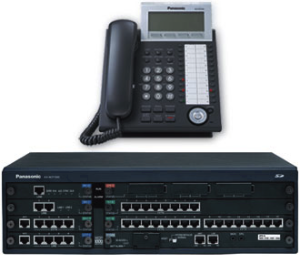
Choosing a VoIP Phone System for Your Home Office
For many people, a home office needs more than a mobile phone and a laptop. A dedicated business phone system can help you manage calls professionally, stay in touch with customers and keep work communications separate from personal ones. A home office VoIP phone system is one option worth considering.
What is a home office VoIP phone system?
VoIP stands for Voice over Internet Protocol. Instead of carrying calls over a traditional telephone line, VoIP uses an internet connection. Depending on the service, you may be able to make and receive calls using a desk phone, computer or mobile app.
Many VoIP services include features such as voicemail, call forwarding, caller identification and conference calling. The features available vary between providers and packages, so it is sensible to check what is included before choosing a system.
Why use VoIP at home?
Keep business and personal calls separate
A business number can help you manage work calls without sharing your personal mobile number. Some services let you answer calls through an app, while others can be used with a compatible desk phone.
Work flexibly
With an internet-based phone service, you may be able to answer calls from different devices, depending on the provider’s features. This can be useful if you move between your desk and other workspaces, or need to take calls while away from home.
Present a professional image
Features such as voicemail greetings, call routing and business hours can help create a clear and consistent experience for callers. Even a one-person business can use these tools to make calls easier to manage.
Choose a setup that suits your work
You might prefer a traditional-style desk phone, a headset connected to a computer, or an app on your mobile. The right setup depends on how often you take calls, where you work and what equipment you already have.
What do you need to get started?
- A reliable internet connection: Voice calls need a steady connection. If several people or devices use your broadband at the same time, call quality may be affected.
- A VoIP service: Compare providers for pricing, included features, support and contract terms.
- A suitable device: This could be a compatible IP desk phone, computer headset or mobile device, depending on the service.
- A suitable network: A wired connection can provide consistency for a desk phone or computer. If you use Wi-Fi, check that coverage is reliable where you work.
How to choose the right system
Start by thinking about how you use the phone. Consider how many calls you make, whether you need to transfer calls, and whether you want to answer on more than one device. A simple setup may be enough for occasional calls, while a busier home office may benefit from features such as call queues or multiple extensions.
When comparing services, look beyond the headline price. Check whether calls, number rental, equipment and support are included, and whether there are setup fees or minimum contract periods. It is also worth asking how easy it is to change your package if your needs grow.
Security and emergency calls
As VoIP calls use an internet connection, protect the devices and network you use for work. Keep software and firmware up to date, use strong passwords and secure your home Wi-Fi network.
Also check how the provider handles emergency calls and what information is associated with your service. VoIP services may depend on power and internet access, so they may not work during an outage. Keep an alternative way to contact emergency services available, and make sure your registered location details are accurate where the provider requires them.
Is a home office VoIP phone system right for you?
A home office VoIP phone system can be a practical choice if you want a dedicated business number, flexible call handling or a more organised way to manage work calls. The best option depends on your broadband, working habits, budget and the features you actually need.
Compare a few providers, confirm that your equipment and connection are suitable, and choose a system that can adapt as your business changes.
Essential FAQs About Home Office VoIP Phone Systems in the UK
- Can I have a VoIP phone at home?
- What is the best VoIP phone for home use in the UK?
- How much does VoIP home phone cost?
- What is the best VoIP home service?
- Can I just plug a VoIP phone into my router?
- Is VoIP suitable for home use?
- What is the best VoIP phone for home use?
- Is there a free VoIP service available in the UK?
Can I have a VoIP phone at home?
Yes, you can use a VoIP phone at home, provided you have a suitable internet connection and a VoIP service. You can usually make and receive calls using a compatible desk phone, computer or mobile app, depending on your provider. For a home office, VoIP can give you a dedicated business number and useful features such as voicemail and call forwarding. Check the provider’s equipment requirements and how the service handles emergency calls before signing up.
What is the best VoIP phone for home use in the UK?
The best VoIP phone for home use in the UK depends on how you work and which features you need. For a straightforward setup, choose a reliable, easy-to-use IP desk phone that is compatible with your VoIP provider; if you value flexibility, a softphone app on your computer or mobile may be a better fit. Before buying, check compatibility, call quality, headset support, warranty and total cost, and make sure your broadband connection is reliable.
How much does VoIP home phone cost?
The cost of a VoIP home phone system depends on the provider, the features you need and whether you use an existing device or buy a compatible phone. Some services charge a monthly fee, while others may charge separately for call usage, a business number or extras such as call forwarding. Remember to factor in any setup costs and check whether your broadband package is suitable; comparing the full costs and contract terms will help you find an option that fits your budget.
What is the best VoIP home service?
The best VoIP home service depends on how you work and the features you need. Compare providers on call quality, monthly costs, included features, customer support and contract terms, and check that the service works with your broadband and preferred devices. For a home office, useful features may include a dedicated business number, voicemail, call forwarding and the option to answer calls on a desk phone or mobile app.
Can I just plug a VoIP phone into my router?
Yes, in many cases you can connect a compatible VoIP desk phone to your router using an Ethernet cable, then enter the settings supplied by your VoIP provider. However, plugging it in alone may not be enough: the phone needs an active VoIP service and may require configuration, while some models also need a separate power supply. A standard analogue phone usually cannot connect directly to a router unless you use a compatible VoIP adaptor.
Is VoIP suitable for home use?
Yes, VoIP is suitable for home use, whether you need a phone for everyday calls or a dedicated line for your home office. It lets you make and receive calls over your internet connection, often using a desk phone, computer or mobile app. For the best experience, you’ll need a reliable broadband connection and should check that your chosen provider offers the features you need. Keep in mind that VoIP may not work during a power or internet outage, so it’s sensible to have another way to make urgent calls.
What is the best VoIP phone for home use?
The best VoIP phone for home use depends on how you work and the features you need. For regular business calls, look for a reliable, easy-to-use IP desk phone with clear audio, a comfortable handset and features such as call forwarding and voicemail. If you need more flexibility, a VoIP app on your computer or mobile may suit you better. Before choosing, check that the phone is compatible with your VoIP provider and that your internet connection is reliable.
Is there a free VoIP service available in the UK?
Yes, some VoIP services offer free app-to-app calls or limited free plans, but these may not include a UK landline or mobile number, calls to ordinary phone numbers, or business features. Check the provider’s call rates, usage limits and terms, and remember that VoIP depends on your internet connection and power. For a home office, a paid plan may be more suitable if you need a dedicated business number, reliable support or calls to UK telephone numbers.
Tags: broadband, business hours, business number, business phone system, call forwarding, call management, call quality, call queues, call routing, caller identification, conference calling, contract terms, desk phone, emergency calls, home office voip phone system, internet connection, ip desk phone, mobile app, multiple extensions, network security, pricing, remote work, voice over internet protocol, voicemail, voip provider