
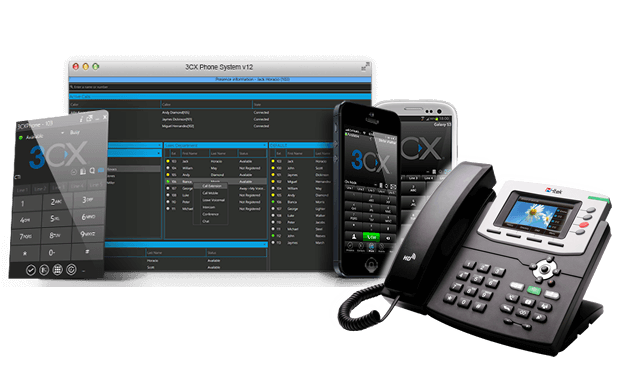
Choosing a 3CX VoIP Provider
Moving to a modern phone system can help a business make and receive calls from the office, at home or on the move. 3CX is a software-based phone system that supports internet calling and business communications. A 3CX VoIP provider can supply the services and expertise needed to connect it to your telephone numbers, users and existing business processes.
Providers differ in what they offer. Some supply SIP trunks for connecting 3CX to the public telephone network; others also provide hosting, setup, number porting, ongoing support or help managing the system. Understanding these options can make it easier to choose a service that suits your organisation.
What does a 3CX VoIP provider do?
3CX provides the phone system software, while a provider may supply one or more of the services around it. These can include:
- SIP trunking: A connection that allows the phone system to make and receive calls over the internet.
- Telephone numbers: New numbers or the transfer of existing numbers, subject to availability and porting requirements.
- Hosting: The option to run the phone system in a cloud environment rather than on equipment at your premises.
- Setup and configuration: Help with extensions, call routing, voicemail, business hours and other settings.
- Support and maintenance: Assistance with service issues, changes and ongoing administration.
The exact package varies, so check which elements are included and which are charged separately.
Why businesses consider 3CX
A 3CX phone system can bring calls and other communication features together in one platform. Depending on the configuration and the services selected, staff may be able to use desk phones, computers and mobile devices to handle business calls.
Common reasons for considering 3CX include:
- Flexible working: Staff can use supported devices in different locations, subject to suitable internet access and configuration.
- Call management: Features such as call queues, ring groups, voicemail and call routing can help direct calls to the right people.
- Room to grow: A system can often be configured to reflect changes in teams and working arrangements. Check how licensing and pricing may change as you add users or features.
- Potential cost control: Internet calling may reduce reliance on traditional telephone services, though total costs depend on call plans, licences, connectivity, hardware and support.
How to compare providers
Before choosing a provider, consider how its services match your technical requirements and the way your business handles calls.
Check compatibility and service details
Ask the provider to confirm that its SIP trunk, hosting or support service is suitable for your planned 3CX setup. Clarify what is included, any requirements for internet connectivity and whether you will need compatible handsets or other equipment.
Review call pricing
Compare monthly charges, call rates, included minutes and any connection or number rental fees. If international or premium-rate calls are important, ask for the relevant rates. Make sure you understand charges for number porting, extra channels, additional users and support.
Understand support arrangements
Find out when support is available, how to report a fault and what response times apply. If your business depends on incoming calls, ask how service problems are handled and what continuity options are available.
Ask about security and resilience
VoIP relies on your network and internet connection, so ask how the provider protects its services and what resilience measures are available. Consider your own arrangements too, including secure account access, network configuration, backup connectivity and a plan for handling calls during an outage.
Consider setup and number porting
Moving numbers and configuring call flows can take planning. Ask who will manage the process, what information is needed and how disruption will be minimised. Keep your existing service in place until the porting and cutover arrangements have been confirmed.
Questions to ask a 3CX VoIP provider
- Do you provide SIP trunks, hosting, installation or ongoing support?
- What 3CX configurations and devices do you support?
- Can our existing telephone numbers be transferred?
- How are calls, channels, users and additional features charged?
- What internet connection and network setup do you recommend?
- What support hours and fault response arrangements are included?
- Are backup or business-continuity options available?
- What happens if we want to change provider or move the system?
Plan for a successful transition
Start by listing your current numbers, users, call queues and business-critical call routes. Decide which features you need now and which may be useful later. A provider can then help assess the technical requirements and prepare a migration plan.
It is also sensible to test the system before switching over fully. Check call quality from the locations where staff will work, confirm that calls reach the correct teams and make sure users know how to use their phones or apps. The quality of a VoIP service depends not only on the phone system and provider, but also on the reliability and configuration of your network.
Finding the right fit
The right 3CX VoIP provider will depend on your organisation’s size, call volumes, working patterns and in-house technical resources. Compare the complete service rather than looking at headline call rates alone. Clear pricing, suitable support, a well-planned migration and a reliable network all contribute to a phone system that works well day to day.
Frequently Asked Questions About 3CX VoIP Providers
- What country is 3CX from?
- Who uses 3CX?
- Does 3CX use VoIP?
- Is 3CX a VoIP provider?
- How to set up 3CX VoIP?
What country is 3CX from?
3CX is a software company founded in Cyprus, where it is headquartered. It develops the 3CX phone system, which is used by businesses and service providers around the world. While 3CX is Cypriot, its VoIP providers and customers operate in many different countries.
Who uses 3CX?
3CX is used by businesses and organisations of different sizes that need a flexible phone system for handling calls across offices and remote or hybrid teams. It can suit companies looking to manage business calls through desk phones, computers or mobile devices, with features such as call routing, voicemail and call queues. The best fit depends on an organisation’s needs, technical setup and support requirements.
Does 3CX use VoIP?
Yes. 3CX uses Voice over Internet Protocol (VoIP) to make and receive calls over an internet connection rather than relying solely on traditional phone lines. It can connect to the public telephone network through a SIP trunk from a compatible provider, and users can make calls using supported desk phones, computers or mobile devices. Call quality depends on factors such as your internet connection, network setup and provider.
Is 3CX a VoIP provider?
No. 3CX is a business phone system that uses VoIP, rather than a VoIP provider itself. To make and receive calls to and from ordinary telephone numbers, you’ll usually need a SIP trunk or calling service from a VoIP provider, which can connect to your 3CX system. Depending on your setup, you may also need hosting, internet connectivity and compatible devices.
How to set up 3CX VoIP?
To set up 3CX VoIP, first choose how you’ll host the phone system—such as in the cloud or on your own server—and check that your network and internet connection are suitable. Install or activate 3CX, then configure your users, extensions, opening hours and call routes. Next, connect a compatible SIP trunk from a VoIP provider to enable calls to and from standard telephone numbers, and add any desk phones or mobile and desktop apps your team needs. Test call quality, incoming and outgoing calls, voicemail and call routing before switching over. A 3CX provider can advise on compatibility, number porting and setup, and help troubleshoot any issues.
Tags: 3cx phone system, 3cx support, 3cx voip provider, 3cx voip providers, business communications, business continuity, call management, call quality, call routing, cloud hosting, internet calling, network resilience, phone system setup, provider comparison, sip trunking, system migration, telephone number porting, voip for businesses, voip pricing, voip security, voip services